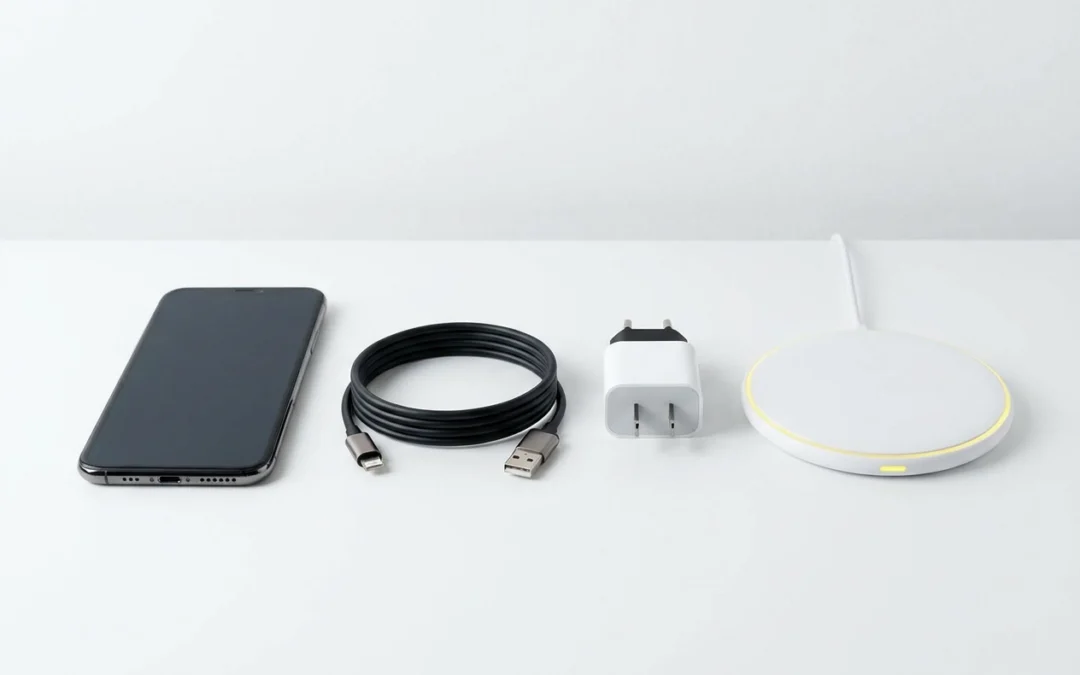
Charging Cables, Adapters and Wireless Chargers: How to Choose the Right Charger
We have all been there. You grab a charging cable from the drawer, plug in your phone, and wake up to a battery that has barely moved overnight. Or worse, you buy a cheap phone charger online and it stops working after two weeks. Frustrating, right?
Here is the thing: not all charging cables and adapters are created equal, and the differences between them actually matter quite a bit. The wrong cable can slow your charge to a crawl, put unnecessary strain on your battery, or simply fail you when you need it most.
In this guide, we are cutting through the confusion with plain, practical advice. No technical jargon, no brand loyalty, just honest guidance to help you understand the main cable types, what fast charging actually needs to work properly, and which products from HocoTech’s range are worth your money.
Whether you are an iPhone user trying to make sense of Lightning and MFi certification, an Android owner navigating the world of USB-C, or just someone who wants a wireless charger that actually works, this post has you covered. Let’s get into it.
Why Your Charging Cable Matters More Than You Think
Not all phone charging cables are equal, and the difference matters more than most people realise.
A cable built only for data transfer can cap your charging speed to a trickle, even when it’s plugged into a powerful fast charger. USB Power Delivery specifications show the gap is significant: basic USB-C cables may only support 5V at low amperage, while properly rated cables can handle far higher wattage. The plug fits either way, so there’s no obvious sign anything is wrong.
Poor-quality cables are often associated with slow charging, intermittent connections, and accelerated port wear, issues that may be avoidable with a better cable.
At HocoTech, the team regularly sees customers where the cable, not the phone, turns out to be the culprit. Many have replaced devices or paid for repairs that a better cable would have prevented.
Australian consumer law does offer some protection for faulty accessories, but counterfeit and unbranded cables frequently fall outside any meaningful warranty coverage. With no brand accountability, there’s little recourse when they fail.
At HocoTech, every refurbished phone includes a fast-charging cable for a straightforward reason: the cable you use every day has a direct effect on your battery’s long-term health.
USB-C Cables: The New Standard (and Why They Are Not All the Same)
USB-C has become the dominant connector on modern Android phones, including Samsung, OPPO, Google Pixel, Motorola and Nothing Phone, and Apple adopted it for iPhone 15 and later models. If you have bought a phone in the last couple of years, there is a good chance USB-C is what you are working with.
Here is the catch: every USB-C cable looks the same from the outside. The plug fits regardless of what the cable is actually capable of delivering. A cable built for basic 5W charging will still slot into a phone that supports 65W fast charging; it just will not come anywhere near that speed. The difference is in the internal wiring and the rated wattage, neither of which you can see.
What to look for on the packaging:
- A stated wattage rating. If the packaging does not list one, treat that as a red flag.
- USB Power Delivery (USB-PD) support, which is what most modern fast charging relies on. Cables marketed purely for data transfer often cap charge speeds significantly.
- USB 2.0 rating as a minimum for fast charging use.
On durability, braided or reinforced cables are generally considered more durable than standard PVC-sleeved options, particularly at the connector ends where daily bending occurs.
If you need a phone charger cable type c matched to a specific device, such as a Samsung, OPPO or Google Pixel, the team at HocoTech in Coolangatta stocks cables suited to the brands they repair and sell. It is worth asking in store rather than grabbing whatever is cheapest nearby.
Lightning and MFi Cables: What iPhone Users Need to Know
If you’re still on an iPhone 14 or earlier, you’re using a Lightning connector, and plenty of Australians are. The same goes for older iPad models and some AirPods, so it’s worth knowing what to look for.
The key term is MFi certified, which stands for Made for iPhone. It’s Apple’s quality standard for third-party Lightning accessories. MFi-certified cables have met Apple’s certification requirements for third-party accessories, designed to ensure compatibility with iPhone, iPad and iPod devices.
Non-MFi cables might look identical and cost less, but they’re a false economy. Non-MFi cables may fail sooner than certified alternatives, and some may trigger iOS compatibility warnings that prevent charging. As with any uncertified electrical accessory, quality can vary significantly. Cheap Lightning cables are one of the more common accessory problems people bring up at HocoTech.
Look for “MFi certified” on the physical packaging, online listings can use vague “compatible” wording regardless of actual certification.
If your household has a mix of older Lightning iPhones and a newer iPhone 15 or later (which uses USB-C), you may need both cable types for a while. A magnetic phone charger with interchangeable tips can handle that without a drawer full of cables.
Micro USB Cables: Still Relevant for Older Devices and Accessories
Micro-USB connectors are no longer found on flagship smartphones, but they are still very much around. Older Android handsets, budget devices, Bluetooth earbuds, portable speakers and many power banks still use them, so there is a good chance you have at least one Micro-USB device in the house.
One thing worth knowing: Micro-USB charging tops out at slower speeds than USB-C, the connector standard predates modern fast-charging protocols. Plugging a Micro-USB device into a powerful fast charger will not speed things up; the device itself limits how fast it can draw power.
The connector is also physically smaller and less robust than USB-C, and it is directional. The directional connector means there is a right and wrong way to insert it, and regular use can contribute to port wear over time. This is a big part of why magnetic phone charger adapters became popular for Micro-USB devices: a small adapter sits permanently in the port, and the cable snaps on magnetically without any pushing or wiggling.
If you are replacing a Micro-USB cable for a device you plan to keep, it is worth spending a little more on one with a reinforced connector tip rather than grabbing the cheapest option available.
At HocoTech in Coolangatta, port damage on Micro-USB devices is a common repair request. In some cases, fitting a magnetic adapter can protect a worn port and extend the life of the device without needing a full repair.
Fast Charging Explained: Why the Whole Setup Has to Match
Speed limits apply at every point in the chain, not just at the wall.
Fast charging only works when your phone, your cable and your wall adapter all support the same standard at the same time. If any one of them can’t keep up, the whole setup drops to the slowest option in the chain.
The main standards you’ll come across:
- USB Power Delivery (USB-PD): The most widely supported open standard, used across modern iPhones and most Android phones.
- Qualcomm Quick Charge: A proprietary standard found on many Android devices.
- OPPO VOOC and SuperVOOC: OPPO’s proprietary fast-charging standards, requiring compatible accessories to reach peak speeds.
These standards are not fully interchangeable, as covered above, the cable remains the bottleneck regardless of adapter rating.
When buying a wall adapter, check the box for the supported wattage and standard, not just the biggest number printed on it.
If your phone is charging slowly, the cable or adapter is usually the culprit rather than the device itself. Before you replace anything, the team at HocoTech in Coolangatta can check whether the issue is the accessory or the charging port.
For everyday use, a USB-PD compatible setup at a moderate wattage covers most modern Android and iPhone devices without needing top-of-range specs.
Wireless Chargers: Convenient but Not Without Trade-offs
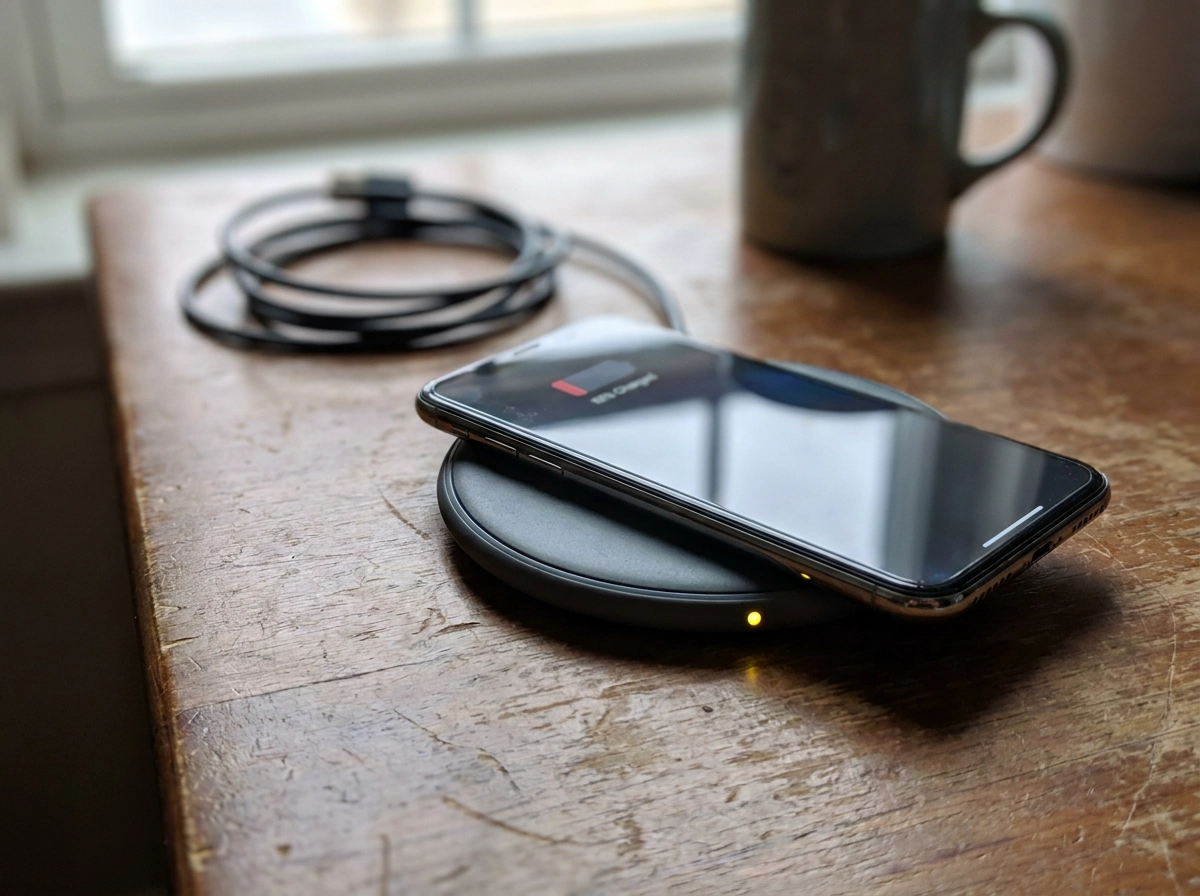
If you would rather skip cables altogether, wireless charging is genuinely handy. Qi is the dominant open wireless charging standard, and most modern smartphones are designed to be compatible with it, so a single Qi pad can serve multiple devices around the house.
The trade-off is speed. Standard Qi pads deliver meaningfully lower wattage than modern wired fast-charging setups, sufficient for topping up, but slower for a full charge. A decent USB-C fast-charge cable and adapter will charge most phones noticeably faster, so wireless is better suited to topping up than to a quick charge before you head out.
Some manufacturers push those speeds higher with proprietary systems. Samsung’s fast wireless charging and Apple’s MagSafe deliver higher speeds on compatible devices than standard Qi, but require the right branded or certified accessory to get there. A generic Qi pad will still charge these phones, just not at peak speed.
Heat is worth knowing about. Cheaper wireless pads tend to run warmer than quality alternatives, and sustained heat during charging is widely associated with reduced battery longevity, a reason to avoid the very cheapest wireless pads.
The most practical use case for wireless charging is a desk or bedside table top-up throughout the day. For overnight charging or a fast charge when you are short on time, a wired cable is still the more efficient choice.
If you want one pad that works across multiple devices in the household, look for Qi-certified rather than single-ecosystem branded options.
Magnetic Phone Chargers and Adapters: Who Actually Needs One
Magnetic chargers work differently to wireless charging pads. Instead of placing your phone on a pad, you plug a small magnetic adapter into your phone’s charging port and leave it there. A cable with a matching magnetic tip then snaps onto the adapter, so there is no physical insertion or removal each time you plug in.
That design makes them genuinely useful in a few situations:
- Frequent chargers. If you plug in and unplug your phone many times throughout the day, a magnetic adapter reduces the mechanical wear on the port itself over time.
- Worn or fragile ports. If your port is already loose or intermittent, a magnetic adapter can keep the phone charging without aggravating the damage further.
- Mixed-device households. Many magnetic adapters are available for common connector types including USB-C, Lightning and Micro-USB. One cable with multiple adapter tips can serve several different devices, which is handy if your household has a mix of older and newer phones.
One thing to check before buying: not all magnetic adapters support fast charging, check that any adapter you buy is rated for the standard your phone uses (such as USB-PD) before purchasing.
Magnetic chargers are also not the same as MagSafe. MagSafe is Apple’s proprietary wireless magnetic charging system for compatible iPhone models. The two technologies are entirely different and the accessories are not interchangeable.
If your charging port is damaged and you are waiting on a repair, a magnetic adapter can be a short-term workaround. Pop into HocoTech in Coolangatta and the team can advise whether it is a practical option for your specific device.
What to Avoid When Buying Charging Cables and Adapters
Knowing what to sidestep is just as useful as knowing what to buy. Here are the red flags worth keeping in mind.
No wattage rating, no certification, no country of origin. If a cable’s packaging is blank on all three of those points, that is a strong signal the product has not been through any meaningful quality process. These are the cables most likely to fail early or cause gradual damage to your charging port.
A suspiciously low price. A USB-C cable at an unusually low price point almost certainly uses substandard internal wiring. The physical connector may fit fine, but the wiring inside degrades quickly under daily use. Spending a little more upfront is nearly always cheaper than replacing it every few weeks.
Lightning cables without MFi printed on the physical box. Online listings can describe a cable as “MFi certified” without it being true. The certification statement needs to be on the packaging itself. If it is not there, treat the cable as uncertified.
High-wattage adapters from unknown brands. A 65W-plus adapter from a brand you have never heard of is worth being cautious about. Australian safety standards require mains-powered accessories to carry an RCM compliance mark, and that mark should be physically on the adapter body, not just mentioned in a listing.
Pairing a fast-charging adapter with a low-rated cable, as covered earlier, the whole setup has to match.
If you are unsure whether something will work with your device, the team at HocoTech in Coolangatta can help before you buy, and exchange it if something does not perform as expected.
Quick Guide: Choosing the Right Cable or Charger
Here is a quick checklist to take with you before you buy anything:
- Identify your connector first. USB-C covers most modern Android phones and iPhone 15 or later. Lightning covers iPhone 14 and earlier. Micro-USB applies to older devices and many Bluetooth accessories.
- For fast charging, cable, adapter and phone must all support the same standard.
- Check that Lightning cables carry MFi certification on the box, adapters show a wattage rating, and mains adapters carry an RCM mark on the body.
- Get advice before you buy. If you are in Coolangatta, Tweed Heads or anywhere on the southern Gold Coast, HocoTech stocks cables, adapters and wireless chargers matched to the phones they repair and sell. The team can point you to what works for your specific handset rather than leaving you to guess.
- Do not keep replacing cables if the problem persists. Slow charging, dropping connections or a loose port are worth having looked at properly. If the port itself is the issue, a battery or charging repair will resolve it faster and more cheaply than a string of replacement cables ever will.
Conclusion
Choosing the right charging cable or adapter comes down to a few principles worth keeping in mind. Getting those basics right, right connector, matched standard, certified accessories, means faster and safer charging every day.
If you are on the southern Gold Coast and want a straight answer before you spend anything, stop into HocoTech in Coolangatta. The team will match you with the right solution for your specific device and take care of any underlying hardware issues while you are there.
Frequently Asked Questions
Why is my phone charging so slowly even though I have a fast charger?
Slow charging usually means one part of your setup isn't matching the others. Fast charging only works when your phone, cable, and wall adapter all support the same standard at the same time. If any one of them can't keep up, the whole setup drops to the slowest option in the chain. The cable is often the culprit—a cable built only for data transfer can cap your charging speed to a trickle, even when plugged into a powerful fast charger. Check that your cable has a stated wattage rating and USB Power Delivery (USB-PD) support. If the problem persists after trying a quality cable, the issue might be with your charging port itself, which is worth having professionally checked.
What does MFi certified mean, and why does it matter for iPhone charging cables?
MFi stands for 'Made for iPhone' and is Apple's quality standard for third-party Lightning accessories. MFi-certified cables have met Apple's certification requirements and are designed to ensure compatibility with iPhones, iPads, and iPods. Non-MFi cables might look identical and cost less, but they're a false economy—they may fail sooner, and some can trigger iOS compatibility warnings that prevent charging altogether. When buying a Lightning cable, always look for 'MFi certified' printed on the physical box itself, not just mentioned in online listings, as many uncertified cables are incorrectly marketed as compatible.
Is wireless charging as fast as wired charging?
No. Standard Qi wireless charging pads deliver meaningfully lower wattage than modern wired fast-charging setups. Wireless charging is sufficient for topping up your phone throughout the day, but a decent USB-C fast-charge cable and adapter will charge most phones noticeably faster. Additionally, cheaper wireless pads tend to run warmer than quality alternatives, and sustained heat during charging is associated with reduced battery longevity. The most practical use case for wireless charging is a desk or bedside table top-up throughout the day. For overnight charging or a quick charge when you're short on time, a wired cable remains the more efficient choice.
Are all USB-C cables the same, and why do they charge at different speeds?
No—every USB-C cable looks the same from the outside, but they can vary significantly in capability. A cable built for basic 5W charging will still fit into a phone that supports 65W fast charging; it just won't come anywhere near that speed. The difference is in the internal wiring and the rated wattage, neither of which you can see from outside the package. When buying a USB-C cable, look for a stated wattage rating, USB Power Delivery (USB-PD) support, and at least USB 2.0 rating as a minimum for fast charging use. Braided or reinforced cables are also generally more durable than standard PVC-sleeved options, especially at the connector ends.
What should I look for to avoid buying a poor-quality charging cable?
Avoid cables with no wattage rating, no certification, or no country of origin listed on the packaging—these are strong signals the product hasn't been through a meaningful quality process and is likely to fail early or cause damage to your charging port. Be wary of suspiciously low prices; a USB-C cable at an unusually low price almost certainly uses substandard internal wiring that degrades quickly. For Lightning cables, make sure 'MFi certified' is printed on the physical box, not just claimed in online listings. For high-wattage adapters (65W+) from unknown brands, check that the adapter carries an RCM compliance mark on its body, as required by Australian safety standards. Finally, avoid pairing a fast-charging adapter with a low-rated cable—the entire setup must match to work properly.