Privacy Screen Protectors: What They Do and Who Should Use One
You’re sitting in a coffee shop, laptop open, working through something you’d rather keep to yourself. Maybe it’s a salary negotiation email, a medical search, or just your banking app. You glance up and catch the person beside you craning their neck ever so slightly toward your screen. Sound familiar?
This is exactly the problem a privacy screen protector is designed to solve. Unlike standard screen protectors that simply guard against scratches and cracks, a privacy screen protector limits who can actually see your display. Only the person looking straight at it can read it clearly. Anyone off to the side sees nothing but a darkened, unreadable panel.
But here’s the thing: privacy protectors involve some genuine trade-offs, and most buying guides skip right past them. In this post, we’ll break down exactly how the technology works, compare privacy protectors against standard tempered glass, and help you figure out whether one is actually worth it for your lifestyle. By the end, you’ll know what to buy, when to buy it, and how to apply it correctly the first time.
What a Privacy Screen Protector Actually Does
Most people buy a screen protector to stop scratches and cracks. Fair enough. But a standard tempered glass protector only protects against what touches your screen, it does nothing about who can see it.
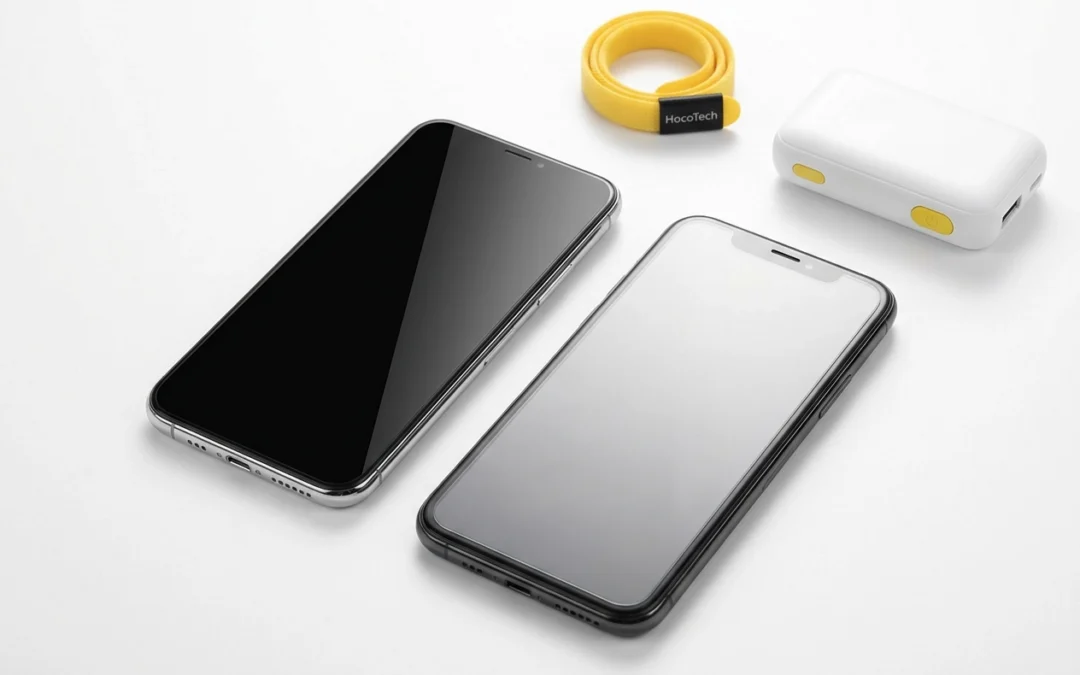
That’s the gap a privacy screen protector fills. Instead of just shielding your display from physical damage, it uses a micro-louver layer, think thousands of tiny vertical blinds embedded in the film, to restrict your screen’s visible angle. From directly in front, everything looks normal. Shift to the side beyond roughly 30 degrees, and the screen goes near-black.
Picture this: you’re on a bus between Coolangatta and Tweed Heads, checking your banking app or scrolling through work emails. The person next to you has a clear line of sight to your screen. You’re not doing anything wrong, but someone else is reading everything you see. That’s shoulder-surfing, and it happens constantly in cafés, on public transport and in open-plan offices.
Standard tempered glass does exactly nothing to stop it. It’s genuinely excellent at protecting your screen from drops and scratches, but protecting your screen from physical damage and protecting what’s on your screen are two completely different problems.
A privacy screen protector solves the second problem. It’s a specific tool for a specific situation.
There are real trade-offs involved, particularly around screen brightness and viewing flexibility for the person actually using the phone. Those are covered in detail next.
How the Technology Works
So how does a privacy screen protector actually block a stranger’s view without blinding you at the same time?
The previous section described the end result; here’s the mechanism behind it. Microlouver film embeds thousands of microscopic vertical blinds inside the protector. Light travelling straight through reaches your eyes normally; light trying to escape at a sideways angle is blocked, making the screen appear dark or blank to anyone not looking straight on. Privacy screens do not change the interface you interact with.
Viewing Angles Explained
The viewing angle is simply the number of degrees from the screen’s centre at which someone can still read your display clearly. This is where specs actually matter in practice.
A 28-degree viewing angle is the stricter option. Someone sitting right next to you on a bus genuinely cannot read your screen, even at close range. The trade-off is that you need to look fairly straight at your phone yourself.
A 45-degree viewing angle is more relaxed. You can tilt your phone slightly without losing visibility, which is more comfortable in everyday use, though someone seated close beside you may still catch a glimpse of your content.
Privacy Protector vs Standard Tempered Glass: The Real Trade-Offs
Now you understand the technology, here’s how it stacks up against a standard tempered glass protector in practice.
Standard tempered glass is straightforward: it protects your screen from scratches and drops, doesn’t affect brightness or viewing angles, and generally costs less. If privacy isn’t a concern, it’s hard to beat for everyday use.
Privacy screen protectors add genuine shoulder-surf protection, but that comes with real trade-offs worth knowing before you buy.
The most noticeable one is brightness reduction. Privacy film blocks light travelling sideways, but it also reduces how much reaches your eyes straight-on. In a bright Queensland café or outdoors, you’ll probably compensate by turning brightness up. In darker rooms, the dimming effect is more obvious and harder to ignore.
Viewing angle matters here too. As noted in the previous section, 28° delivers stronger privacy at the cost of user flexibility, while 45° offers the reverse.
Display appearance can vary between products, check reviews for the specific model you’re considering.
It’s worth comparing prices for your specific device before buying, the gap varies considerably between brands.
Honest summary: standard glass wins on brightness and viewing flexibility. A privacy screen protector trades some of that for genuine viewing restriction from the sides.
When a Privacy Screen Protector Is Worth It
So who actually benefits from making that trade-off? The extra cost and the brightness reduction make sense when shoulder-surfing is a genuine, recurring risk rather than a rare occurrence.
Commuters are the clearest example. If you regularly catch the Gold Coast light rail, or take buses between Coolangatta and Tweed Heads, you’re routinely sitting within arm’s reach of strangers for extended stretches. Checking emails, banking apps or messages in that environment means anyone beside you can see exactly what’s on your screen.
Open-plan office workers face a similar problem, especially those handling sensitive material. Legal documents, HR records, financial data and client files viewed at a shared desk can be read by anyone walking past or sitting nearby. A screen protector with privacy features built in adds a layer of discretion without changing how the device works.
Professionals with client confidentiality obligations have stronger reasons still. Healthcare workers, lawyers and financial advisers regularly access information that should never be visible to a third party. Using a privacy protection screen protector on a work phone is a straightforward, low-effort way to reduce that exposure in shared spaces.
Busy public spaces also create real risk, even outside work. Cafés along Coolangatta’s tourist strip, co-working spaces and shopping centre food courts are environments where screens are easily visible to people nearby. If you regularly use your phone in these spots, the privacy angle restriction earns its keep.
Frequent travellers deal with the same issue at scale. Airports, hotel lobbies and rideshare queues put strangers consistently close to your screen for extended periods.
A quality privacy protector still offers surface scratch protection alongside the viewing restriction.
When a Standard Glass Protector Makes More Sense
Not every situation calls for a privacy screen protector, and a standard tempered glass protector is genuinely the better choice for a lot of people.
If you mostly use your phone at home, in a private office, or in low-density environments, shoulder-surfing simply isn’t a real risk. A screen guard or protective phone case that keeps your display scratch-free and your device protected is likely all you need.
Sharing your screen regularly is another reason to think twice. Showing photos to family, turning your phone so a colleague can see something, or handing your device to a friend becomes genuinely awkward with a privacy protector fitted. Anyone wanting to see your screen has to position themselves directly in front of it, which feels unnatural in casual settings.
Brightness is worth considering too, and in low-lit rooms the dimming effect is more obvious and harder to ignore.
It’s also worth saying plainly: privacy screen protectors have attracted scepticism online, and some of that is fair. They’re a practical tool for specific situations, not a must-have for everyone. This piece isn’t here to talk you into a purchase that doesn’t suit your life.
Getting the Right Fit for Your Device
Once you’ve decided a privacy screen protector is right for you, the next step is making sure you get one that actually fits your device.
Privacy screen protectors are cut to specific models, not general phone sizes. A protector made for an iPhone 15 Pro has different dimensions, cutout positions and sensor clearances to one made for a Samsung Galaxy S25 or Google Pixel 9. They are not interchangeable.
Coverage for recent flagship models from Apple, Samsung and Google has grown steadily, and finding a compatible privacy protector for these devices is generally straightforward.
If you’re on a less common model, including some OPPO, Motorola and Nothing Phone devices, it’s worth confirming availability before assuming a fit exists.
Whatever device you’re on, check the cutouts carefully. A screen guard protector that doesn’t align precisely with your camera, earpiece and sensors can cause real problems, including interference with Face ID or under-display fingerprint sensors. A protector that looks right in the packet can still sit fractionally off once applied.
If you’re not certain which option suits your exact model, HocoTech stocks screen protectors across a wide range of phone and tablet models and can help you find the right fit before you commit. Asking in-store takes two minutes; ordering the wrong size online and waiting for a replacement takes considerably longer.
Applying Your Privacy Protector Properly (And the Best Time to Do It)
Once you’ve found the right fit, how you apply it matters just as much.
Dust, fingerprints or moisture trapped beneath the film will cause bubbling that’s nearly impossible to fix cleanly after the fact. Bubbles don’t just look bad, they create imperfections between the film and screen surface. A thorough clean with the included wipe and dust sticker before laying the film down is not optional.
Applying a protector straight after a repair means you’re starting with a clean surface, no old film to remove and no accumulated debris to worry about.
If you’re getting a screen repair or battery replacement at HocoTech in Coolangatta, it’s worth asking about screen protectors at the same time. Picking one up on the spot means you leave with a fresh screen and a clean install in one visit, rather than attempting it yourself at home later.
For customers using the Come-to-You repair service, ask at the time of booking whether a privacy or standard protector can be applied straight after the repair is finished. Getting it done on the spot, while the screen surface is fresh, is the easiest way to guarantee a clean result without a second appointment.
The Bottom Line on Privacy Screen Protectors
Privacy screen protectors use microlouver technology to block side-on viewing while keeping your display fully usable from directly in front, passively, with no settings to configure.
The honest trade-off is straightforward. You gain real shoulder-surf protection; you give up some brightness and a little viewing flexibility. Commuters, open-plan workers and anyone handling sensitive data in shared spaces get clear value; home users generally don’t.
Still weighing it up, or not sure which screen guard protector fits your device? Pop into HocoTech in Coolangatta or reach out online. The team can point you to the right option for your exact model, whether you’re after privacy protection or straightforward tempered glass.
Conclusion
Privacy screen protectors solve a specific problem well: they block shoulder surfers without requiring any setup. The technology is passive, the trade-offs are real but manageable, and the right choice comes down to where and how you use your phone.
Ready to protect your screen the right way? Visit HocoTech in Coolangatta or get in touch online. The team will match you to the right option for your exact model and get it applied perfectly the first time.
Frequently Asked Questions
What's the main difference between a privacy screen protector and a standard tempered glass protector?
A standard tempered glass protector only guards against scratches and cracks from physical damage. A privacy screen protector adds microlouver technology—thousands of tiny vertical blinds embedded in the film—that restricts viewing angles. This blocks side-on viewing at roughly 30 degrees or beyond, while keeping your display fully visible when looking straight at it. Standard glass does nothing to stop shoulder-surfing.
What trade-offs come with using a privacy screen protector?
The main trade-offs are reduced brightness and limited viewing flexibility. Privacy film blocks light traveling sideways, which also reduces light reaching your eyes straight-on, so you may need to increase brightness, especially outdoors. Additionally, a 28-degree viewing angle offers stronger privacy but requires you to look fairly straight at your phone, while a 45-degree angle is more relaxed but less private. Display appearance can also vary between different products.
Who benefits most from using a privacy screen protector?
Privacy screen protectors are most valuable for commuters on public transport, open-plan office workers handling sensitive material, professionals with confidentiality obligations (healthcare workers, lawyers, financial advisers), frequent travelers, and anyone regularly using their phone in busy public spaces like cafés or co-working spaces. If you mostly use your phone at home or private spaces, a standard protector is likely sufficient.
Can I use the same privacy screen protector on different phone models?
No, privacy screen protectors are cut to specific phone models and are not interchangeable. Each device, like an iPhone 15 Pro, Samsung Galaxy S25, or Google Pixel 9, has different dimensions, cutout positions, and sensor clearances. It's essential to find a protector made specifically for your exact model. Improper fit can cause issues with Face ID, under-display fingerprint sensors, and other features.
What's the best way to apply a privacy screen protector to avoid bubbles?
Dust, fingerprints, and moisture trapped beneath the film cause bubbling that's nearly impossible to fix. Always do a thorough clean with the included wipe and dust sticker before applying the protector. The best time to apply is right after a screen repair when the surface is completely clean with no old film or debris. If getting a repair at a service center like HocoTech, ask about applying the protector immediately after—this guarantees a clean install without needing a second visit.